Touchscreen vs Non-Touch All-in-One PCs: Which is Better?
Shop with confidence
Need help picking the right device for your budget?
Browse our current stock or message BigShot Computers directly for fast buying advice on laptops, phones, tablets, desktops, and accessories.
Detailed comparison between touchscreen and non-touch All-in-One PCs to help Kenyan buyers decide which type best suits their needs and budget.
The Touchscreen Advantage
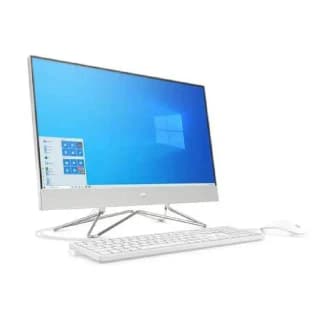
Models like the HP 27-dp0188qe offer intuitive touch control that enhances certain use cases:
Best for:
- Creative Work: Digital artists and designers benefit from direct manipulation
- Education: More engaging for children's learning apps
- Presentations: Easier to navigate slides and annotate
- Retail/Kiosks: More intuitive for customer interactions
Considerations:
- Typically 15-25% more expensive than non-touch equivalents
- May show more fingerprints and smudges
- Some applications aren't optimized for touch
The Non-Touch Advantage
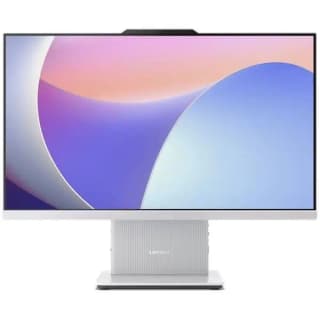
Models like the Lenovo IdeaCentre AIO 24IRH9 offer better value for traditional computing:
Best for:
- Office Productivity: Keyboard/mouse workflows are often faster
- Programming: Text-heavy work benefits from precision input
- Budget-Conscious Buyers: More affordable at similar specs
- Long Sessions: Less arm fatigue than reaching to touch
Side-by-Side Comparison
| Feature | Touchscreen AIO | Non-Touch AIO |
|---|---|---|
| Price Premium | 15-25% higher | Standard pricing |
| Display Quality | Often brighter with better viewing angles | Can focus purely on color accuracy |
| Durability | More vulnerable to fingerprints/smudges | Easier to keep clean |
| Input Options | Touch + keyboard/mouse | Keyboard/mouse only |
Our Recommendations
Choose Touchscreen If:
- You regularly use touch-optimized apps (design, education)
- You want a more interactive family computer
- Budget isn't your primary concern
Choose Non-Touch If:
- You primarily use office/productivity software
- You want maximum value for money
- You prefer traditional input methods
Best of Both Worlds
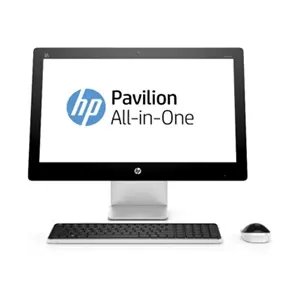
Some users opt for a non-touch AIO like the HP 24-cr0129nh and add a separate drawing tablet when needed. This provides flexibility while keeping costs down.